Request in Promitea: No training required — get it done in minutes

When someone hears “procurement software,” they often imagine a complex system, lengthy training sessions, user manuals, new rules, and a lot of extra work.
When someone hears “procurement software,” they often imagine a complex system, lengthy training sessions, user manuals, new rules, and a lot of extra work. But with Promitea, you don’t need any of that. Let’s take a look at a simple request and see how it works.
Buyer’s hands-on time to create the request, compare offers, and select a supplier: Promitea: 8 minutes, Email + Excel: 45 minutes
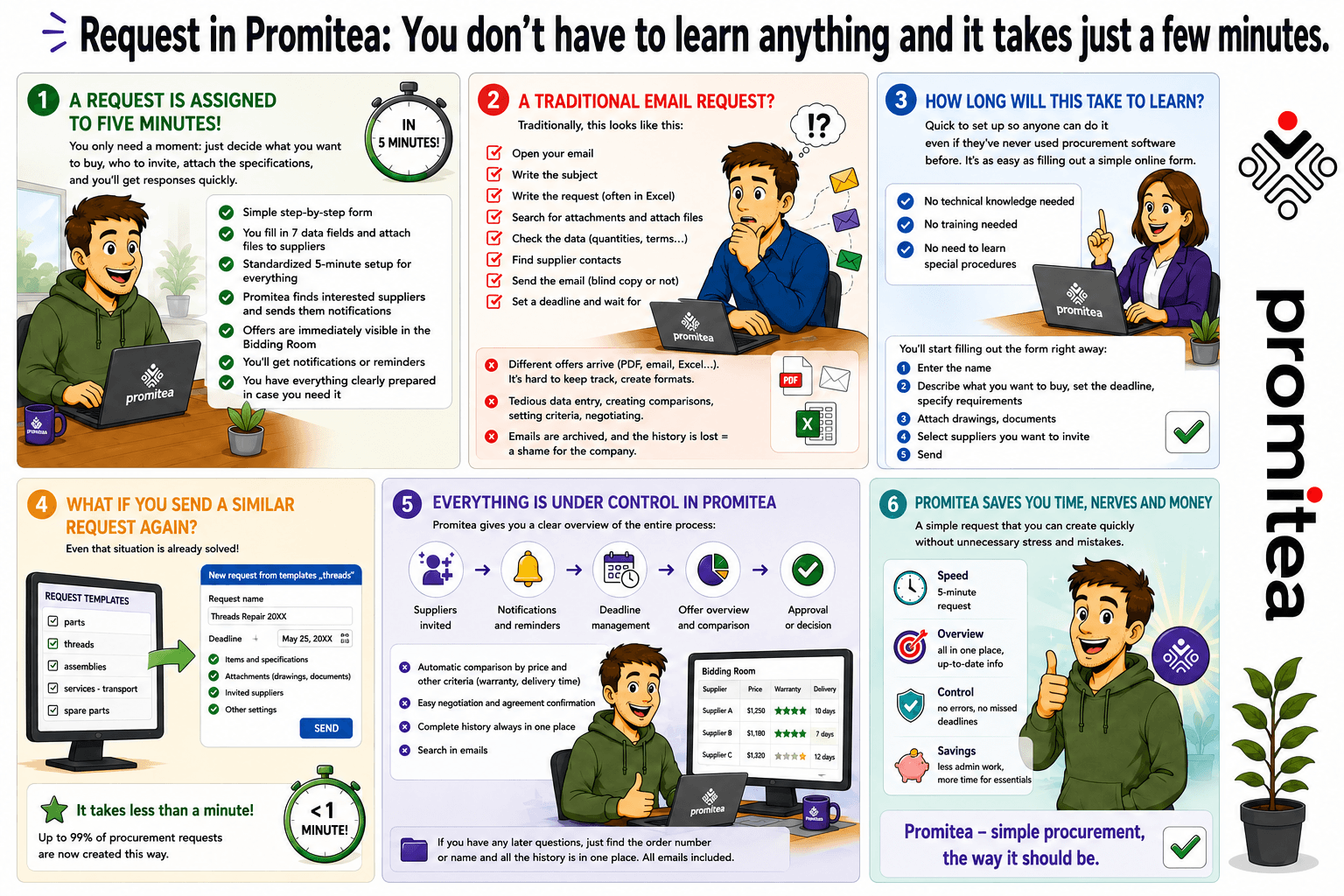
A typical request can be created in under five minutes!
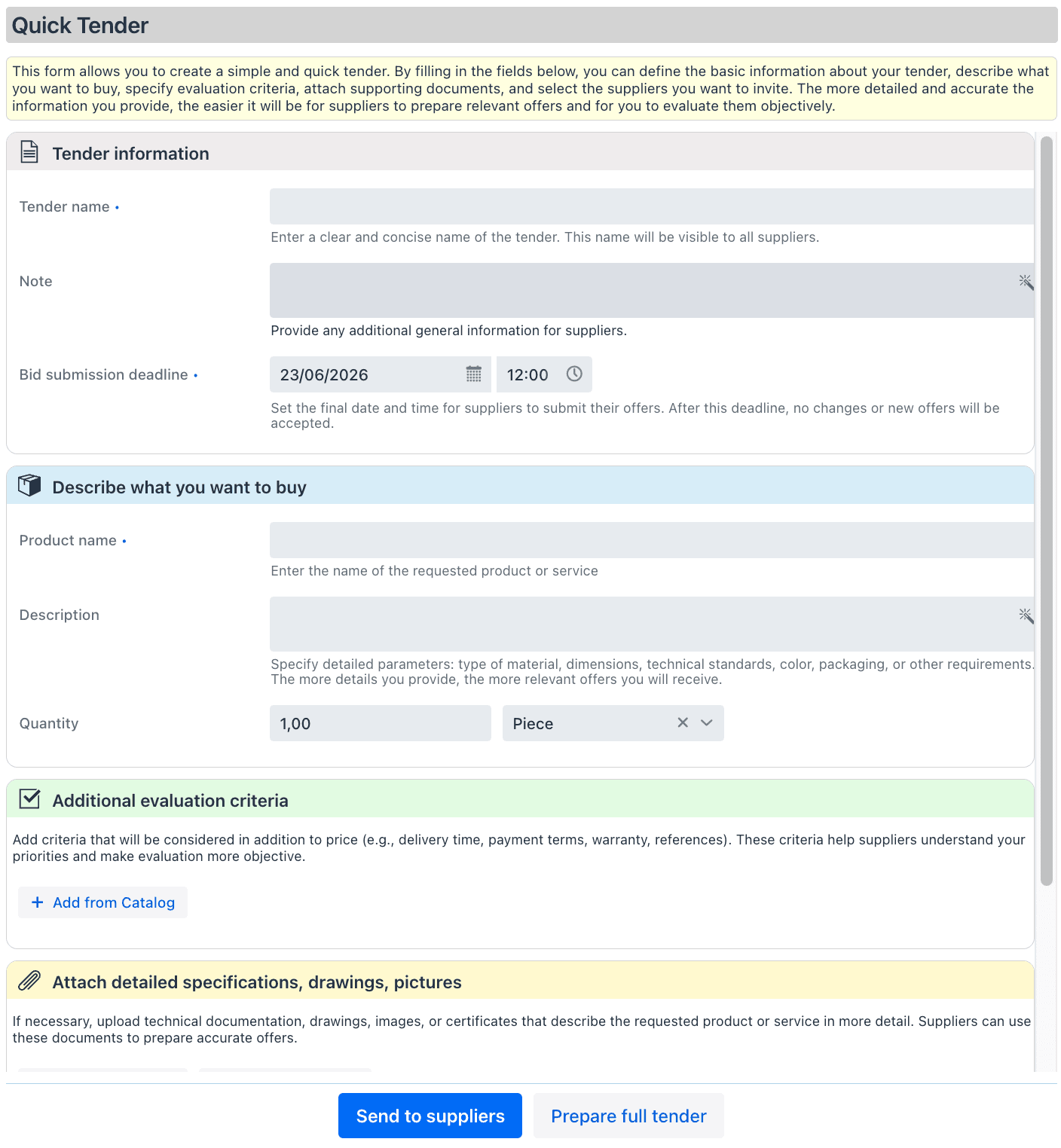
Many procurement teams create ten or more routine requests every day. Most of them aren’t complex. You simply need to specify what you want to buy, in what quantity, which suppliers you want to invite, attach a drawing or specification, and set the response deadline.
That’s exactly the idea behind Quick Request in Promitea. You don’t have to think about how the request should be structured or what information it should contain. The system guides you through each section, and you simply fill in the details.
It’s a straightforward form that naturally leads you through the process step by step. Enter just seven pieces of information, send it to suppliers, and you’re done — typically in under five minutes from start to finish.
Creating a request takes no more than 5 minutes!
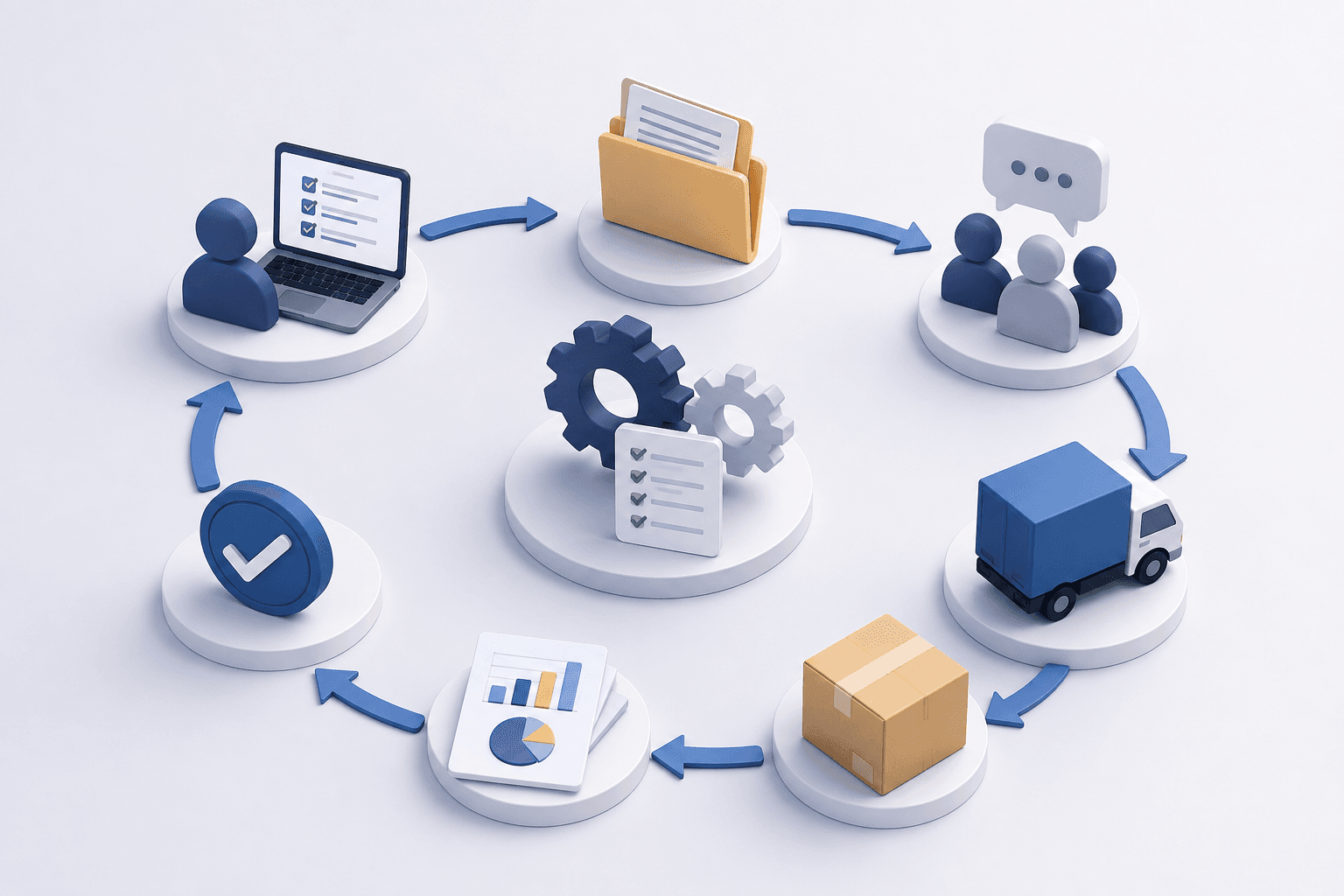
Once the request is sent, Promitea takes over the follow-up. It automatically tracks whether suppliers have confirmed their participation, monitors submission deadlines, and sends reminders when needed.
0 minutes spent chasing confirmations and reminding suppliers!
As soon as a supplier submits an offer, it appears in the Bid Room, where Promitea automatically compares all offers based on price and other criteria, such as warranty terms and delivery lead time. If needed, you can also send the selected offer for approval with a single click.
3 minutes to select the best offer — including a management-ready report!
Of course, you can still pick up the phone and negotiate with suppliers directly. Once you reach an agreement, simply have it officially confirmed in Promitea, so the final terms are documented in one place instead of being buried in emails or kept only on paper.
0 minutes of administrative work during final negotiations!
If an issue comes up later, simply enter the project name or part number and you’ll instantly have the complete history in one place. No digging through emails.
1 minute to find any request in the archive!
What about a traditional email-based RFQ process?
Let’s say you need to request a quote for a part based on a technical drawing and want to send it to three suppliers. Traditionally, the process looks something like this:
- Open your email client.
- Write a subject line.
- Draft the RFQ (or update your Excel template if it’s a recurring request).
- Find the technical drawing and attach the file.
- Double-check that you included the quantity, deadline, and all key requirements.
- Look up the suppliers in your contacts.
- Add them to BCC or send separate emails to each supplier.
- Send the email.
Creating and sending an RFQ by email typically takes around 15 minutes. You keep track of deadlines and follow up on supplier responses.
10 minutes spent chasing confirmations and reminding suppliers about their offers!
The offers arrive by email and need to be processed. One comes as a PDF, another in the body of an email, and a third in an Excel spreadsheet. There is almost always missing information or data presented in a format that makes comparison difficult.
You manually transfer prices into a spreadsheet, build formulas to compare offers, and figure out how to account for factors such as warranty terms and payment conditions. If negotiations continue and revised offers arrive, you often end up creating a second comparison sheet.
20 minutes to process offers and select a supplier. (Plus another 10 minutes to prepare a report for your manager!)
You also need to archive all emails in case a dispute arises later. Finding the complete history can become a nightmare — searching for the right email thread, checking different versions of offers, and trying to piece together who agreed to what and when.
15 minutes to retrieve information when disputes or issues arise.
How long will it take me to learn?
Quick Request is designed so that even someone who has never used procurement software before can start using it immediately. It’s as simple as filling out an online form.
You don’t need any technical knowledge. You don’t need training. You don’t need to learn special procedures.
Just follow the form from top to bottom:
- Enter a title.
- Describe what you want to buy, add the deadline, and specify any requirements.
- Upload a drawing or supporting document.
- Select the suppliers you want to invite.
- Click Send.
You don’t need to learn anything at all! If you can fill out an online form, you can create an RFQ in Promitea. If you can compare offers in Excel, Promitea can do it for you automatically.
What if I send similar RFQs repeatedly?
That makes the process even simpler.
We can create a template for you — for example, “Castings” or “Aluminum Parts.” Everything is already configured: requirements, suppliers, attachments, evaluation criteria, and other settings.
All you need to do is:
- Enter a new RFQ name for easy searching later (for example, “Aluminum Parts – March 20XX”).
- Update the submission deadline.
- Quickly review the details.
- Click Send.
The entire process takes less than a minute.
For recurring purchases, procurement teams often create up to 99% of their RFQs this way.
No setup required! For recurring RFQs (identical or very similar ones), we’ll create a template for you. You simply review it, make any necessary adjustments, and send it to suppliers within minutes. For recurring RFQs, creating and sending a request can take less than a minute.

Jana Jůzlová has more than 20 years of experience in corporate procurement in manufacturing companies. She specializes in strategic procurement consulting and helps companies turn procurement and logistics into a competitive advantage.
For busy procurement teams, it’s easy to lose track of deadlines. One RFQ may be closing today, while another is still waiting for supplier responses.
This is a completely legitimate concern. You’re a procurement professional, already overloaded with work, and now you’re supposed to deal with procurement software on top of everything else?
Return on investment within the first year of project implementation.*
*The ROI estimate is based on real data gathered from our clients and their successfully completed projects.
Join us in the world of Promitea.
Our team is here for you.